For most simmers in 2026 the best VR headset for flight sim is the Meta Quest 3: it pairs sharp pancake-lens clarity with strong PC-VR connectivity at around $500, far less than the high-resolution enthusiast units. Flight sim is a uniquely demanding VR use case — it punishes your GPU, rewards resolution over fast tracking, and keeps you seated for long sessions — so the right pick is about clarity, comfort, and how much graphics card you actually own, not the gaming features the headsets are marketed on.
I run a VR headset on my deck alongside head tracking, and the thing nobody tells you is that the “best” headset is the one your PC can actually feed. Pair a punishing high-resolution unit with a midrange card and you get a blurry, stuttering 737 — worse than a cheaper headset run properly. Here’s the realistic field, what the specs mean for flying specifically, and how to match a headset to your rig instead of to a benchmark chart.
As an Amazon Associate I earn from qualifying purchases.
What Matters in a Flight Sim Headset
Flight sim wants different things from a headset than shooters or room-scale games do. Top priority is clarity at the distance you read instruments: resolution per eye and lens quality decide whether your gauges are crisp or mushy. Pancake lenses, now standard on better headsets, give edge-to-edge sharpness that the old Fresnel lenses couldn’t. Fast head-tracking refresh and big play spaces matter far less when you’re sitting still in a seat.
The second priority is comfort, because flight sim sessions are long — a single airliner leg can run hours. Weight, balance, and heat decide whether hour three is pleasant or a headache, and a light headset you’ll actually wear beats a heavy one you take off early. Third is connectivity: most flight simmers run PC-VR, so how cleanly the headset links to a powerful PC — cable, wireless, or base stations — shapes the daily experience. Get those three right and the marketing specs barely matter.
The Realistic 2026 Shortlist
The field that actually makes sense for flight sim runs from value all-rounders to high-resolution enthusiast units. The Meta Quest 3 is the default recommendation: pancake lenses, good resolution, standalone but a capable PC-VR headset over Link cable or wireless, around $500. Its cheaper sibling, the Quest 3S, drops to roughly $300 but steps back to Fresnel lenses and lower resolution — the budget door into VR flight, not the clarity champion.
Above them sit the enthusiast options for people with the GPU to drive them. The Pimax Crystal family chases maximum per-eye resolution and clarity for reading dense airliner panels, at a high price, real weight, and a serious GPU demand. The Bigscreen Beyond goes the other way: a tiny, ultralight custom-fit headset with excellent clarity, beloved for long seated sim sessions, though it needs SteamVR base stations and controllers bought separately. Each suits a different priority — value, budget, ultimate clarity, or featherweight comfort.
Best VR Headset for Flight Sim: The Comparison Table
The shortlist side by side. Prices are approximate and shift, so treat them as ballpark rather than gospel.
| Headset | Clarity | Lenses | PC-VR Connection | Weight | Approx. Price | Best For |
|---|---|---|---|---|---|---|
| Meta Quest 3 | Very good | Pancake | Link cable or wireless | Moderate | ~$500 | Best all-round value |
| Meta Quest 3S | Good | Fresnel | Link cable or wireless | Moderate | ~$300 | Budget entry to VR |
| Pimax Crystal | Excellent | Pancake | DisplayPort / wired | Heavy | High | Max clarity, strong GPU |
| Bigscreen Beyond | Excellent | Pancake | Wired + base stations | Ultralight | High (plus base stations) | Lightweight long sessions |
Read the table by your constraint. If you want one headset that does everything well without drama, the Quest 3 is the answer for most people. If budget rules, the 3S gets you flying. If you have a top-tier GPU and read a lot of dense panels, the Pimax earns its weight and cost. If comfort over hours is everything and you don’t mind base stations, the Beyond is a joy. There’s no single winner — there’s a winner for your rig.
Avoid Dead Platforms: The WMR Warning
One hard fact saves used-market buyers from a costly mistake: Microsoft has deprecated Windows Mixed Reality. That strands the once-popular HP Reverb G2 — a headset many flight simmers loved for its sharp panels — on legacy software with no future support. No matter how cheap a Reverb G2 looks secondhand, don’t build a new 2026 flight-sim setup around it, because the platform behind it is being switched off.
The lesson generalizes: a VR headset is only as good as the software ecosystem keeping it alive. Stick to headsets on actively supported platforms — the Meta and SteamVR ecosystems are safe bets — and run flight sims through OpenXR, the standard the modern sims use. A bargain on a dead platform isn’t a bargain; it’s a paperweight with a great spec sheet. This is the same “buy what’s actually supported” discipline that keeps the rest of a deck from filling with orphaned gear.
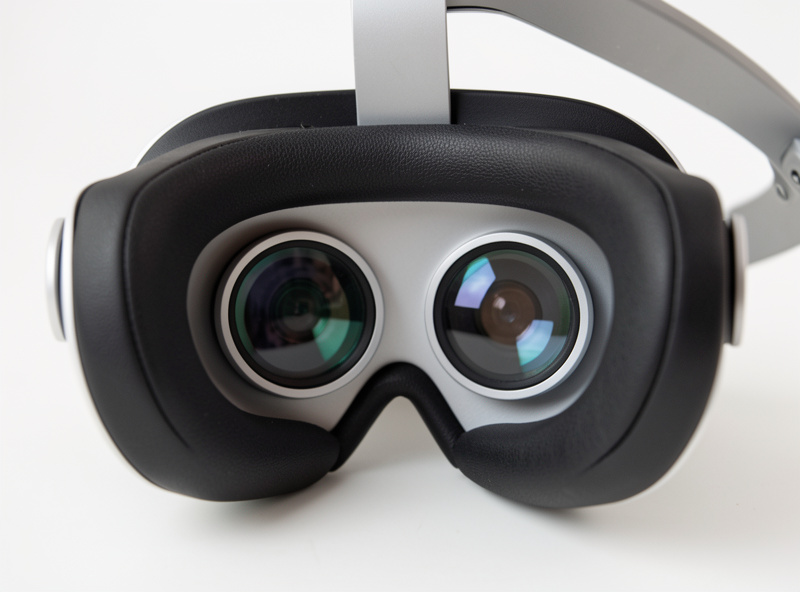
Match the Headset to Your GPU, Not the Hype
Here’s the rule that prevents the most expensive VR mistake: match the headset’s pixel demand to a graphics card that already runs your sim well at high settings on a flat screen. VR renders two high-resolution images at a high, stable refresh, so it is far more GPU-punishing than a monitor, and a high-resolution headset multiplies that load. The result of getting this wrong is a headset you have to run at low render scale, throwing away the very clarity you paid for.
In my frame-time logs a scene that holds a smooth flat frame rate drops hard in VR on the same hardware, which is exactly why I’d send anyone to the VR PC requirements piece and the flight-sim GPU reality before they buy a headset at all. If your card is midrange, a Quest 3 run sensibly will look and feel better than a Pimax Crystal you can’t drive. Buy the headset your GPU can feed, not the one with the biggest numbers — the sustainable, stutter-free image always wins.
So Which One Should You Buy?
For the great majority of simmers: the Meta Quest 3. It’s sharp enough to enjoy panels, comfortable enough for real sessions, connects cleanly to a PC, and doesn’t demand a halo GPU to look good — the best balance of clarity, cost, and drivability on the market. Drop to the 3S only if budget forces it, and step up to a Pimax Crystal or Bigscreen Beyond only when you have both the graphics card and a specific reason — ultimate panel clarity or featherweight comfort — to justify the jump.
Whatever you choose, remember the headset is a view device that sits on top of real flying hardware, not a replacement for it — the VR controllers vs hardware piece makes that case in full. And if you’re still weighing whether VR is even the right view-control path for you against head tracking and triple screens, start at the head tracking and VR guide and check your inner ear against the motion sickness guide before you spend.
Frequently Asked Questions
What is the best VR headset for flight sim in 2026?
For most simmers the Meta Quest 3 is the best balance: sharp pancake lenses, good resolution, clean PC-VR connectivity, and around $500. Enthusiasts with a strong GPU may prefer the higher-resolution Pimax Crystal, and the ultralight Bigscreen Beyond suits long seated sessions, but the Quest 3 wins on value.
Do I need a powerful PC for VR flight sim?
Yes. VR renders two high-resolution images at a high, stable refresh, making it far more GPU-punishing than a flat monitor. Match the headset to a graphics card that already runs your sim well at high settings; a demanding headset on a midrange card forces a low render scale and a blurry result.
Is the Meta Quest 3 good for flight sim?
Yes, it is the popular default. Its pancake lenses give edge-to-edge clarity for reading instruments, it works as a standalone headset or a PC-VR headset over a Link cable or wirelessly, and at around $500 it does not demand a halo-tier GPU to look good, which suits most simmers.
Should I buy an HP Reverb G2 secondhand for flight sim?
No. Microsoft has deprecated Windows Mixed Reality, the platform the Reverb G2 depends on, leaving it on legacy software with no future support. However cheap it looks used, do not build a new flight-sim setup around a dead platform. Choose a headset on the actively supported Meta or SteamVR ecosystems.
Does resolution or refresh rate matter more for flight sim?
Resolution and lens clarity matter more. Flight sim keeps you seated and reading instruments, so sharp panels at reading distance beat the high refresh and fast tracking that competitive games chase. Prioritize per-eye resolution and pancake lenses over a headset marketed mainly on its refresh rate.