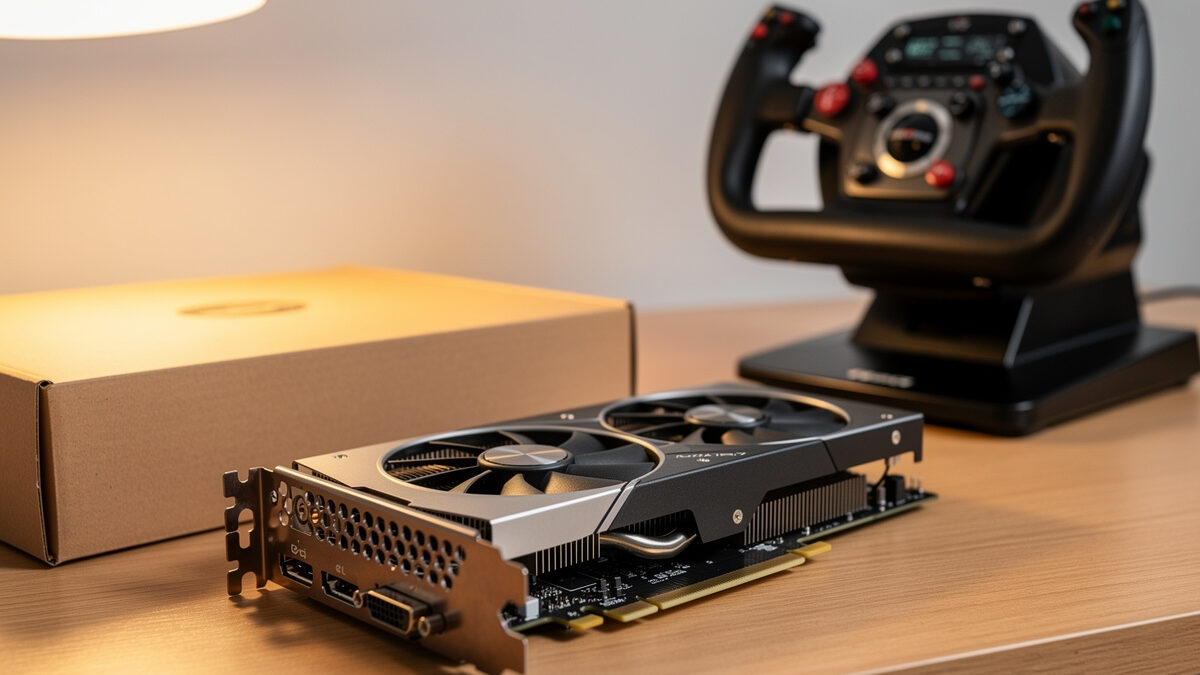
The best GPU for 1440p flight sim is the RTX 4070 Super with 12GB of VRAM, because it holds 45 to 65fps at high settings and, crucially, has enough memory that the sim’s terrain streaming does not spill. At 1440p, VRAM capacity decides smoothness more than raw GPU horsepower, which is why an 8GB card can stutter while a slower 16GB card flies clean.
I have run a string of cards through my deck and logged the frame-times, and the pattern is always the same: the card that stutters is the one that ran out of memory, not the one that ran out of speed. This guide ranks the realistic 1440p tiers, explains the VRAM cliff that catches so many buyers, and tells you which card to buy for the way you actually fly. It is the GPU deep-dive behind my broader flight sim PC build guide; I write as a sim builder, not a pilot, and none of this touches real-world aviation.
Which GPU Is the 1440p Flight Sim Sweet Spot?
The RTX 4070 Super (12GB) is the 1440p flight sim sweet spot, delivering high settings at 45 to 65fps in most flying with enough VRAM headroom to avoid streaming stutter. It sits at the point where you stop paying steeply for frames the CPU often caps anyway, which makes it the card I recommend first to almost everyone building a 1440p deck.
The reason it wins is balance. It has the horsepower for high terrain detail and the 12GB buffer to feed the sim’s hungry streaming without spilling in normal flying. Step above it and you are usually buying frames your processor will not let you keep at 1440p; step below it and you start fighting the VRAM cliff. If you want the no-overthinking answer, this is it: a 12GB RTX 4070 Super-class card on Amazon.
As an Amazon Associate I earn from qualifying purchases. The links here point to the card classes I describe and run myself, never to a specific price.
Why Does VRAM Matter More Than GPU Speed at 1440p?
VRAM matters more at 1440p because MSFS 2024 streams terrain and textures continuously, and when that data exceeds the card’s memory it spills to system RAM, causing hard stutter. The sim will fill 10GB and creep past it with high render scaling and ultra textures, so a card’s memory capacity sets the floor under your smoothness regardless of how fast its core is.
This is the single most misunderstood thing in flight sim GPU buying. A reviewer’s average-fps chart, built from a quick benchmark pass, will not show the VRAM cliff because the cliff only appears when the buffer fills during sustained flying over dense scenery. By then the buyer has already chosen the fast 8GB card on the strength of a number that never reflected the sim’s streaming behavior. Trust capacity over the headline benchmark.
In my own logs the moment a card hits its VRAM limit is unmistakable: smooth flight, then a city or a complex airport loads, and the frame-time graph spikes into ugly territory that no amount of core speed rescues. The fix is never a faster small-memory card. It is more memory. That is why I treat 12GB as the practical floor and 16GB as the comfortable choice for a 1440p deck.
Is a Budget GPU Like the RTX 4060 Ti Enough for 1440p?
The RTX 4060 Ti is enough for 1440p flight sim only in its 16GB version, and only at medium-high settings with moderate render scale, landing around 35 to 45fps. The 8GB version is a trap for this sim despite its identical core, because flight sim’s streaming will overrun 8GB and stutter where the 16GB card stays smooth.
This is the clearest case in the whole hobby for ignoring the spec-sheet logic that says “same chip, same performance.” For MSFS the two 4060 Ti variants behave like different cards: the 8GB stutters in exactly the scenes you bought a sim to enjoy, while the 16GB holds its frame-times. If your budget lands here, spend the small premium for the memory: a 16GB RTX 4060 Ti on Amazon is the version that actually flies the sim.
When Is a Higher-Tier GPU Actually Worth It?
A higher-tier GPU like the RTX 4070 Ti Super (16GB) is worth it only if you push terrain detail and render scaling to the maximum, run an ultrawide at higher refresh, or plan to step toward 4K or VR later. At plain 1440p the CPU usually caps your frames before these cards stretch their legs, so the extra money buys headroom rather than a transformed experience.
I keep a stronger card in the house for VR and for the days I want everything maxed with render scaling cranked, and it earns its place there. But I would never tell a pure 1440p flat-screen flier that they need it. The honest upgrade reason for these tiers is future-proofing toward headset flying or 4K, not a better 1440p picture today. If that is your roadmap, a 16GB RTX 4070 Ti Super-class card on Amazon gives the headroom to grow into.
| GPU | VRAM | 1440p Result | Verdict |
|---|---|---|---|
| RTX 4060 Ti 8GB | 8GB | Stutters when buffer fills | Avoid for this sim |
| RTX 4060 Ti 16GB | 16GB | ~35-45fps, medium-high | Budget pick |
| RTX 4070 Super | 12GB | ~45-65fps, high | The sweet spot |
| RTX 4070 Ti Super | 16GB | ~55-75fps, high-ultra | Headroom / VR path |
How Do You Match the GPU to the Rest of the Build?
Match the GPU to your CPU and resolution, not to a benchmark leaderboard. At 1440p a cache-heavy 8-core CPU often caps your frames before the GPU does in busy airports, so pairing a top-tier card with a weak processor wastes the card. Buy the 12GB or 16GB GPU that fits your settings, and put leftover budget into the CPU and RAM that actually limit you.
The trap I see constantly is the GPU-first build, where someone spends the whole budget on the card and wonders why the big airport still hitches. The card was never the bottleneck there, as I explain in the full real MSFS 2024 requirements breakdown. Decide your real flying, size the GPU to your resolution and VRAM needs, and let the processor handle the rest. That balance gives a smoother deck than any single expensive part chosen in isolation.
Frequently Asked Questions
What is the best value GPU for 1440p flight sim?
The RTX 4070 Super with 12GB of VRAM is the best value for 1440p flight sim. It delivers high settings at 45 to 65fps with enough memory to avoid the terrain-streaming stutter that catches 8GB cards, and it sits where the CPU often caps frames anyway.
Is 8GB of VRAM enough for flight sim at 1440p?
No. MSFS 2024 streams terrain and textures that fill and spill past 8GB at 1440p, causing hard stutter in cities and complex airports. A 12GB card is the practical floor and 16GB is the comfortable choice for smooth 1440p flying.
Should I buy the 8GB or 16GB RTX 4060 Ti?
Buy the 16GB version for flight sim. The two share a core but behave differently here: the 8GB stutters when streaming fills its buffer, while the 16GB holds frame-times at medium-high 1440p settings. The memory premium is worth it for this sim.
Do I need an RTX 4080 for 1440p flight sim?
No. At plain 1440p the CPU usually caps your frames before a 4080 stretches its legs, so it buys headroom rather than a better picture. A 4080-class card only earns its cost if you plan to move to 4K or VR.
Does GPU choice affect real-world flying skill?
No. GPU choice only affects how the flight simulator looks and runs. Flight sim is a hobby for immersion and enjoyment, and nothing about it builds real piloting skill. Real flight requires training with a licensed flight instructor.
Related Guides
- The Flight Sim PC Build Guide: What MSFS 2024 Actually Needs
- MSFS 2024 System Requirements: The Real Numbers
- What a $200 vs $600 Hardware Budget Buys
- The Flight Sim Hardware Upgrade Order
More from This Cluster
- “The Budget Flight Sim PC Build That Actually Works”
- “VR Flight Sim PC Requirements: The Jump Nobody Warns You About”
- “32GB vs 64GB RAM for Flight Sim: The Honest Answer”
- “CPU vs GPU Bound in Flight Sim: Why Your Stutter Isn’t the Card”
- “MSFS 2024 System Requirements: The Real Numbers vs the Spec Sheet”
- “The Flight Sim PC Build Guide: What MSFS 2024 Actually Needs”