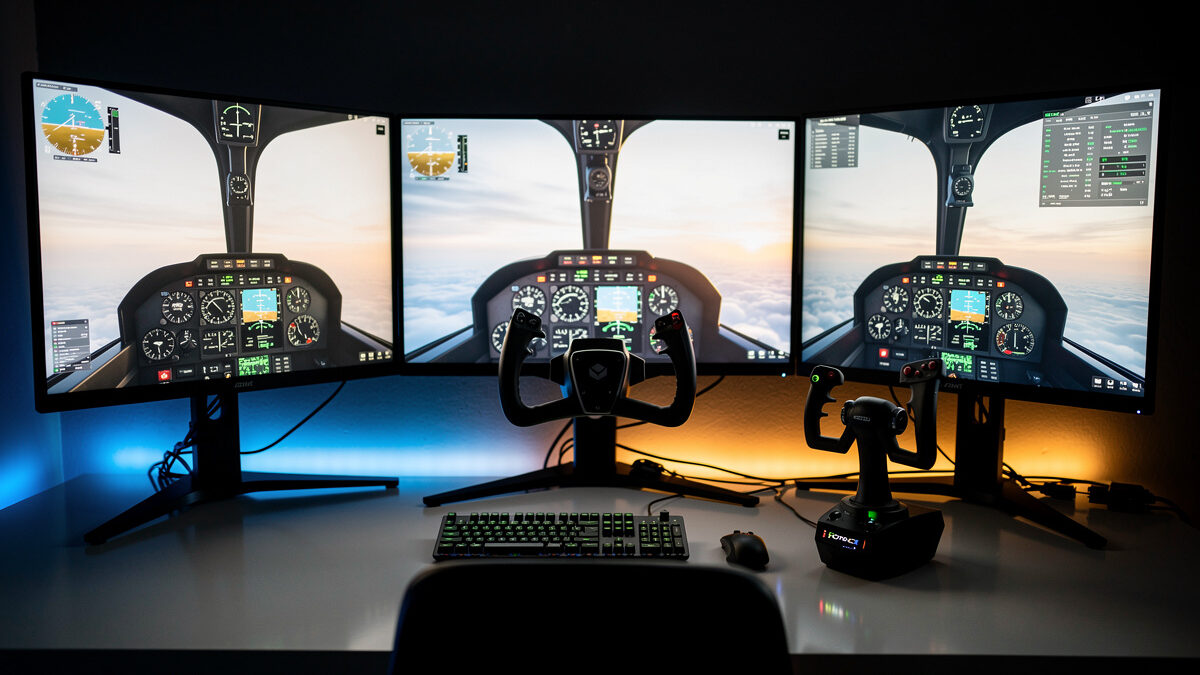
Every simmer who gets past the keyboard hits the same fork in the road: a yoke or a stick. It is the question that fills my inbox and it is the one that wastes the most money, because most people answer it with their wallet instead of with a clear picture of what they actually fly. I have run both sides of this for years on my own deck — a Logitech G yoke I know to its detents, a Honeycomb Alpha-class yoke next to it, and a Thrustmaster HOTAS-class stick I switch to when I want to fly something with a sidestick or a fighter’s grip. This guide is the verdict from owning both, not from a spec sheet.
The short version: the right controller is decided by the aircraft you spend most of your hours in, not by which one looks more “serious.” A general-aviation cockpit was built around a yoke. An Airbus and most fighters were built around a sidestick. Buy the one that matches your seat time and you will fly better immediately. Buy the wrong one because a forum told you it was superior and you will spend six months fighting your own hardware.
Yoke vs Stick: The One-Paragraph Answer
If you fly general-aviation aircraft — the Cessna 172, the Bonanza, the King Air, anything with a control column — buy a yoke. If you fly Airbus airliners or fighters, buy a stick. If you fly Boeing airliners, a yoke is the honest match but a stick survives. If you genuinely fly a bit of everything, a stick is the more flexible single purchase, because a stick flying a yoke aircraft feels merely “different,” while a yoke flying a fighter feels actively wrong. That is the whole decision in five sentences. Everything below is the texture behind it.
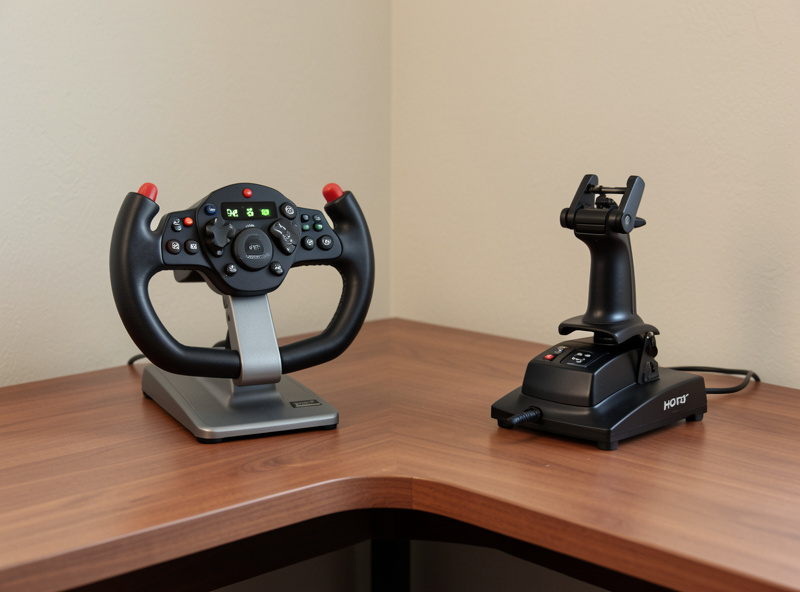
What a Yoke Actually Is — And the Aircraft Built Around It
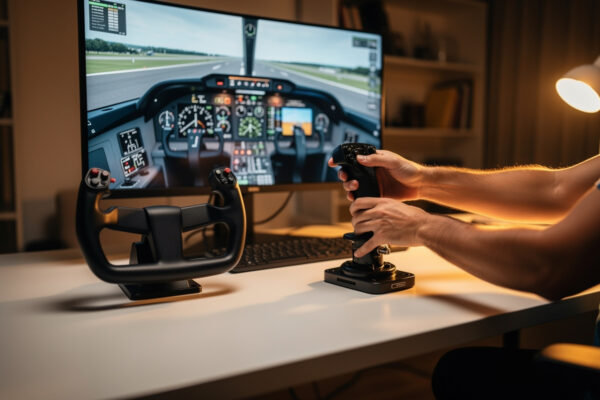
A yoke is a control column you push and pull for pitch and rotate left and right for roll. It sits in front of you, it travels through your lap, and your hands rest on it the way they would on a steering wheel that also moves fore and aft. Crucially, a yoke gives you two-handed control and a long travel distance, which is exactly what a heavy, stable, trim-it-and-leave-it general-aviation aircraft wants. When I fly a 172 on my deck, the yoke is doing what the real airframe’s column does: small, deliberate inputs over a long throw, with both hands available for a crosswind correction on short final.
The long travel is the point people miss. A GA aircraft is flown with trim — you set the pitch, you trim off the pressure, and the yoke barely moves for cruise. A yoke’s deep travel gives you the resolution to make those tiny trimmed adjustments without the input feeling twitchy. A stick’s shorter throw, mapped to the same control surfaces, makes the same aircraft feel nervous around neutral. This is not a preference; it is geometry. The yoke was the right tool because the aircraft was designed around a column.
What a Stick Actually Is — And Where It Wins
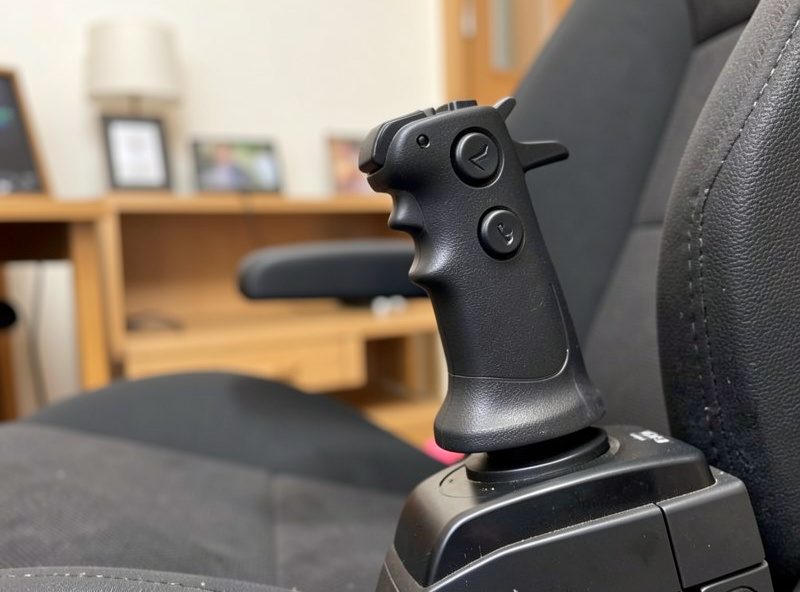
A stick is a single grip you move in a small arc for pitch and roll, usually held in one hand with your other hand on a throttle. There are two families that matter here. A centre stick is the fighter and aerobatic layout — the grip between your knees, full range of motion, the control philosophy built for fast, large, precise inputs. A sidestick is the Airbus layout — a short-travel grip mounted to the side, designed around fly-by-wire where you are commanding a rate, not muscling a cable.
The stick wins decisively in two worlds. In a fighter, you want fast roll and a grip that puts every button under your thumb and fingers — a HOTAS stick is the literal design intent. In an Airbus, the sidestick is not just acceptable, it is correct: the real aircraft has a sidestick, the fly-by-wire law means small inputs command bank and pitch rate, and a big yoke throw would actually be the wrong muscle memory. When I fly the Airbus on my deck, reaching for the stick instead of the yoke is not a compromise — it is the aircraft as built.
The Decision by Aircraft Type
This is the table I wish someone had handed me before I bought my first controller. The “feel match” column is the verdict from flying each type on both my yoke and my stick, not theory.
| Aircraft type | Real control | Best sim controller | Feel match on my deck |
|---|---|---|---|
| GA single (C172, Bonanza) | Yoke / column | Yoke | Yoke perfect; stick twitchy near neutral |
| GA twin / turboprop (King Air) | Yoke / column | Yoke | Yoke perfect; trim work needs the travel |
| Boeing airliner (737, 747) | Yoke / column | Yoke (stick survives) | Yoke correct; stick workable, less authentic |
| Airbus airliner (A320 family) | Sidestick | Stick | Stick correct; yoke is the wrong muscle memory |
| Fighter / aerobatic | Centre stick | Stick (HOTAS) | Stick essential; yoke physically wrong |
| Helicopter | Cyclic + collective | Stick + collective add-on | Stick = cyclic; needs a separate collective |
| Mixed / “a bit of everything” | — | Stick (more flexible) | Stick adapts; yoke locks you into GA feel |
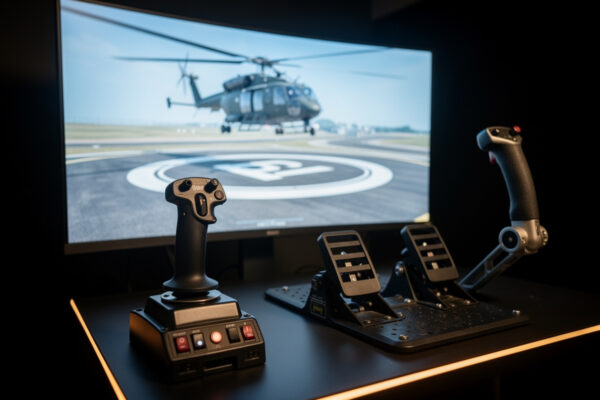
Read that helicopter row carefully, because it is the trap. A stick stands in beautifully for the cyclic, but a helicopter is flown with a cyclic and a collective, and no yoke-or-stick decision solves the collective question — that is a separate purchase and a separate skill. I break the whole rotary problem down in my helicopter collective guide, because it is the one airframe where the controller question doesn’t have a clean two-way answer.
Two Hands or One: The Ergonomic Difference Nobody Mentions
There is a part of this decision that only shows up at hour three of a long session, and it is the one I’d weigh hardest if I were buying again. A yoke is a two-handed instrument. You can fly it with one hand, but it invites both, and on a long GA flight that two-handed posture is genuinely relaxing — your forearms rest, your inputs are gentle, and the desk-mounted column sits where a real one would. A stick is a one-handed instrument by design, which frees your other hand permanently for the throttle and frees your reach for buttons, but it asks more of your wrist on a long sortie.
Neither is “better” ergonomically — they are different jobs. The yoke’s two-handed calm suits the trim-and-cruise rhythm of GA flying. The stick’s one-handed economy suits the busy hands of a fighter or the deliberate, minimal inputs of an Airbus on autopilot. What matters is matching the posture to how you actually fly: long, calm cross-country legs reward the yoke’s relaxed two-handed feel, while quick, hands-busy combat or precise airliner work rewards the stick’s one-handed reach. I think about this the same way I think about the rest of the deck’s ergonomics — what does your body feel like three hours in, not five minutes in at the store.
The Mount Matters as Much as the Choice
Whichever you pick, how you mount it decides half of how it feels — and this is where simmers who buy the “right” controller still end up disappointed. A yoke clamped to a flexing desk transmits every input into a wobble that no curve setting can fix; the column needs a rigid mount or the whole two-handed-precision advantage evaporates. A stick is more forgiving of a poor mount because its inputs are smaller, but a sidestick mounted at the wrong height or angle fights your wrist and undoes the ergonomic win above.
On my deck both live on a rigid aluminum-profile frame, because I learned on the racing rig before this one that a controller is only as good as the thing it’s bolted to. If your yoke or stick is clamped to a desk that bows, fix the mount before you blame the hardware or buy the other type. The controller you have, solidly mounted, almost always beats the controller you’re tempted to switch to, loosely clamped. That mount lesson is the through-line of my whole upgrade doctrine — buy the foundation, then the gear.
The Honest Case for Each One as a First Purchase
If you already know what you want to fly, the table above decides it. The harder question is for the simmer who isn’t sure yet, and here is where I push back on the forum default.
The forum default is “buy a stick, it’s cheaper and more flexible.” It is half right. A stick is the more flexible single purchase, and if you genuinely fly across categories or lean toward airliners and fighters, it is the better first buy. But the simmer who bought MSFS to fly little aircraft over real-world scenery — which is most new simmers — fell in love with general aviation and then bought a stick because the internet said so, and now their 172 feels nervous and they think they’re bad at flying. They are not bad at flying. They bought the wrong tool. I unpack that specific mismatch in yoke or stick for MSFS 2024, because it is the single most common wrong purchase in the hobby.
My honest framing: decide what you fly for the next three months, not what you imagine flying someday. The “someday I’ll fly fighters” purchase is the same procrastination trap I see all over this hobby — buying for an imagined future instead of the seat time you actually have. If your real hours are in a 172, the yoke makes you better today. The fighter dream can buy its own stick later.
Curves, Deadzones, and Why Both Feel Wrong Out of the Box
Here is the thing nobody tells you when you unbox either one: both a yoke and a stick feel wrong on the first flight, and it is almost never the hardware. It is the curve and deadzone settings. A stick with no response curve feels twitchy because a small physical movement maps linearly to a large control deflection near centre. A yoke can feel sloppy because a too-wide deadzone eats your small trimmed inputs. The fix on both is the same family of settings, and getting them right is the difference between “this controller is garbage” and “this controller disappears.”
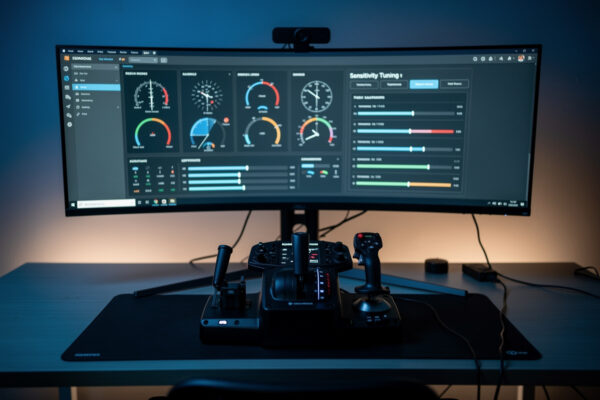
For a stick, I run a gentle sensitivity curve on pitch and roll so the centre is calm and the edges still give full authority — this is what tames the “twitchy fighter” feeling people blame on the hardware. For a yoke, I keep the deadzone as small as the hardware’s centring slop allows, because a GA aircraft lives on small inputs and a fat deadzone kills them. I walk through the exact approach for both in my curves and deadzones setup guide — it is the most underrated tuning in the hobby and it costs nothing.
This is also why the “which controller is better” arguments on forums are so unproductive. Half the people declaring a yoke garbage are flying it with default settings and a flexing mount; half the people declaring a stick twitchy never added a curve. The hardware difference between a yoke and a stick is real and it is about aircraft type — but the setup difference between a tuned controller and a stock one is just as large, and it is the same on both. Get the type right for your aircraft, then get the curves and deadzones right, and you will stop wondering whether you bought the wrong thing.
The Cost of Switching Later — And Why It’s Smaller Than You Think
The fear that keeps people frozen at this fork is “what if I buy the wrong one and have to switch?” Good news: switching is cheaper and less painful than the forums make it sound, and I’ve done it in both directions. The hardware resells well — yokes and HOTAS sticks hold value on the used market because the hobby keeps churning new entrants. The muscle memory transfers more than you’d expect, because rudder, throttle, and trim discipline are the same regardless of what’s in your pitch-and-roll hand. The genuine cost is the re-tuning of curves and a week of feeling clumsy.
I lay out the real switching math — what you lose on resale, what transfers, what to keep — in the switching cost breakdown. The headline is that the penalty for guessing wrong is real but modest, which means you should buy for your current seat time with confidence and treat a later switch as a normal hobby step, not a disaster. The bigger mistake is paralysis — flying with a keyboard for another three months because you’re afraid to commit to a controller at all.
Where This Sits in the Upgrade Order
One honest caveat before you spend: a controller is not always the first thing your deck needs. My whole doctrine is that hardware buys realism in a specific order, and for a lot of simmers rudder pedals and head tracking move the needle on immersion more than upgrading from a keyboard’s awkward pitch axis to either a yoke or a stick. If you’re building from scratch, read my flight sim hardware upgrade order first, then come back here to choose the pitch-and-roll controller that matches your aircraft. The yoke-or-stick question is real and important — it’s just rarely the very first krona.
If you’re still deciding which controller is even your first big jump after the keyboard, my breakdown of the HOTAS vs yoke first purchase sits right next to this one — that piece is about timing and budget, this one is about matching the controller to your aircraft. Read both and the decision gets easy. And if you’ve already got pedals and you’re flying with a keyboard for pitch and roll, then yes — a yoke or a stick is your next and biggest single immersion jump, and this is exactly the decision to get right.
A Word on What This Hardware Is — And Isn’t
One thing I keep front and centre on this site: a flight sim yoke or stick teaches you sim immersion and procedure familiarity, not real flying. The hand skills, the scan, the procedures you build here are genuinely satisfying and they make you a better sim pilot. They are not flight training. Real flying is learned in a real aircraft with a licensed instructor, and nothing on your desk substitutes for that. I build hardware verdicts as a simmer for simmers — keep that frame and the hobby stays honest and fun.
Is a yoke or a stick better for flight simulator?
Neither is universally better. A yoke suits general-aviation and Boeing aircraft built around a control column. A stick suits Airbus airliners and fighters built around a sidestick or centre stick. Match the controller to the aircraft you fly most.
Should I get a yoke or stick for MSFS 2024?
If you fly the included Cessnas and GA aircraft over scenery, get a yoke. If you lean toward Airbus airliners or fighters, get a stick. A stick is the more flexible single purchase if you fly a bit of everything.
Can you fly an Airbus with a yoke?
You can, but it is the wrong muscle memory. The real Airbus uses a sidestick with fly-by-wire, where small inputs command bank and pitch rate. A stick matches that design; a yoke long travel fights it.
Why does my stick feel twitchy in the simulator?
Almost always the response curve, not the hardware. A linear curve maps small movements to large deflections near centre. Adding a gentle sensitivity curve calms the centre while keeping full authority at the edges.
How hard is it to switch from a yoke to a stick later?
Less painful than forums suggest. Both resell well on the used market, and rudder, throttle, and trim discipline transfer directly. The real cost is re-tuning your curves and a week of feeling clumsy.
Does flying with a yoke or stick teach real flying?
No. Sim hardware builds immersion, procedure familiarity, and hand-eye skill, but it is not flight training. Real flying is learned in an aircraft with a licensed instructor. Treat sim time as a hobby, not certification.
Related Guides on the Deck
- Yoke or Stick for MSFS 2024: The Most Common Wrong Purchase
- Why GA Aircraft Want a Yoke: The Control-Column Argument
- Airliner Control Logic: Why the Airbus Uses a Sidestick
- The Helicopter Question: Why a Stick Isn’t Enough
- Curves and Deadzones: Making Any Controller Disappear
- The Real Cost of Switching Yoke to Stick Later