If I could make every new simmer buy their upgrades in the right order, head tracking is the one I would push up the list hardest — because it is the best money-per-immersion upgrade in the entire hobby, and almost nobody buys it early enough. For roughly the price of a midrange controller, a little infrared clip and a camera bar give you the one thing a flat-screen sim is worst at: the ability to look around. I own the VR headset too, and I still reach for head tracking on most flights. Here is why it earns that.
The problem head tracking actually solves
The least realistic thing about a flat-screen flight sim is not the graphics, the controllers, or the PC. It is that your view is bolted straight ahead. In a real cockpit your head is constantly moving — you lean forward to read a gauge, glance left at the runway on a base leg, look into a turn, crane around the door pillar to clear for traffic. On a fixed monitor, none of that exists. You stare forward at a rectangle and reach for a hat switch when you need to look somewhere, which is slow, clumsy, and nothing like flying.
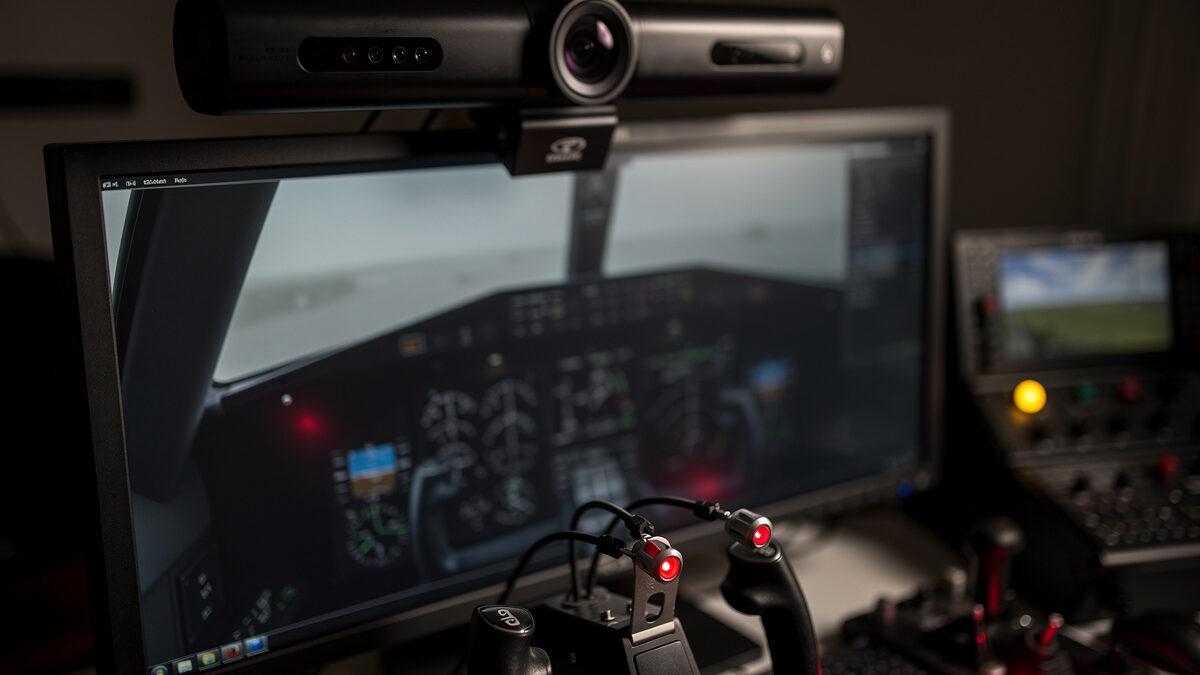
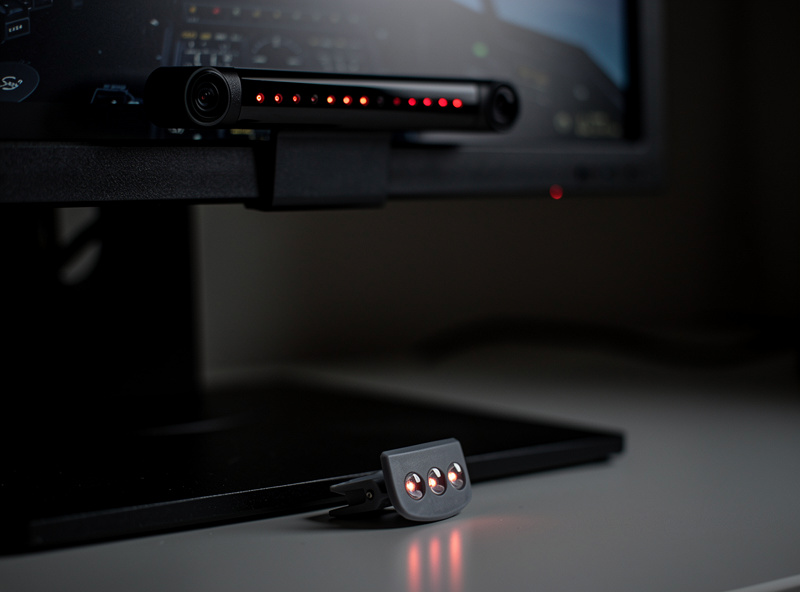
Head tracking dissolves that problem completely. An infrared system watches reflective points on a clip attached to your headset (or a small hat) and translates your real head movement into in-sim view movement, across all six degrees of freedom: look left/right and up/down, and lean in/out and side to side. Lean toward the windscreen and you get closer to the panel; tilt your head to look around the pillar and the view follows. Within one flight your head starts doing the looking instead of your thumb, and you stop noticing the hardware at all — which is the highest compliment you can pay any sim gear.
Why it ranks so high in the upgrade order
In the upgrade-order doctrine I rank head tracking right after rudder pedals, and the reasoning is pure immersion-per-krona. The cost is modest — comparable to a single midrange controller. The realism return is enormous, because it fixes the most unrealistic thing about the whole setup. And unlike most big immersion upgrades, it carries almost no downside: no motion-sickness adaptation, no big GPU bill, no headset isolating you from your keyboard and coffee. It is, dryly, the highest-return, lowest-cost, lowest-risk upgrade I have made on the deck, and I have made all of them.
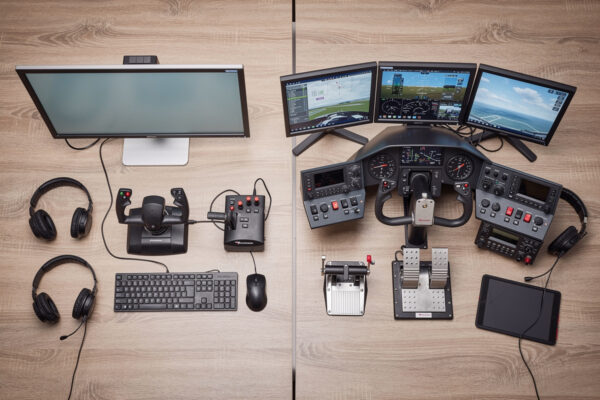
It also pairs perfectly with the rungs below it. Once you have an analog controller, pedals, and head tracking, you can fly a complete, immersive approach — analog control, rudder for the crosswind, head turned to watch the runway — and that three-purchase foundation feels dramatically more like flying than any single premium box ever could. That is the whole philosophy: spend across the rungs.
Head tracking vs VR vs triple monitors
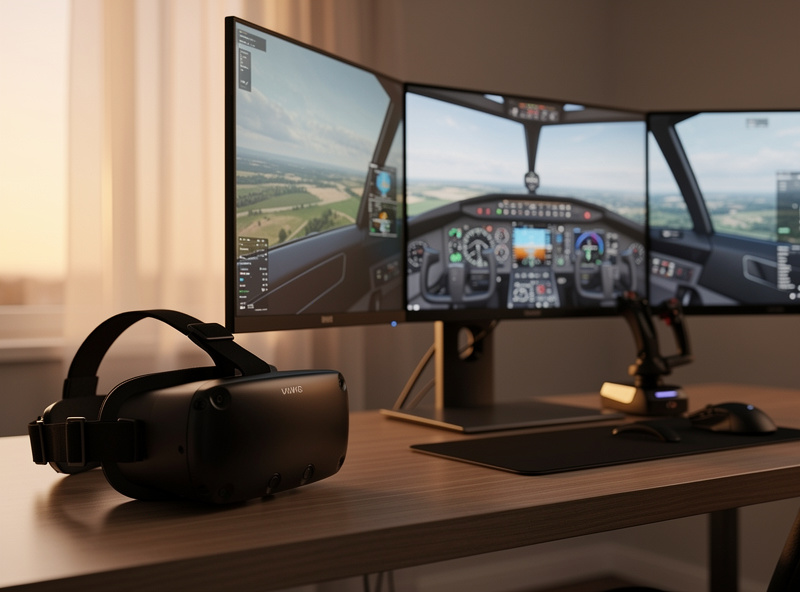
The honest comparison people want is head tracking against the two other ways to solve the “looking around” problem: VR and triple monitors. I own and run all three, so here is the trade-off without the tribalism.
| Head tracking | VR | Triple monitors | |
|---|---|---|---|
| Cost | Low (≈ one midrange controller) | High (headset + GPU headroom) | High (three screens + mounts + GPU) |
| Immersion | High — natural look-around on a flat screen | Highest — true presence and depth | Medium-high — wide field of view, still flat |
| GPU demand | Negligible | Heavy | Heavy (driving three panels) |
| Comfort | No adaptation, see your desk | Can cause motion sickness; isolating | Comfortable, see your desk |
| Readability of panels/charts | Excellent (sharp flat screen) | Variable (resolution-dependent) | Excellent |
| Best for | Almost every simmer, especially first | Maximum immersion, GPU to spare | Wide view without a headset |
VR is the most immersive, full stop — the sense of depth and presence is something neither of the others touches, and on the right flight it is magic. But it costs more, demands serious GPU headroom, can trigger motion sickness until you adapt, and cuts you off from your keyboard, charts, and coffee. Triple monitors give a lovely wide field of view and keep panels razor-sharp, but they are expensive, hungry on the GPU, and still flat — they widen the rectangle without adding the look-around. Head tracking sits in the sweet spot: it adds the single most missing thing — natural head movement — for a fraction of the cost and none of the downsides, on the sharp flat screen you already own. That is exactly why it is the one I reach for most, even owning the alternatives.
Setting it up so it disappears
Head tracking lives or dies on its profile — the curve that maps how far you turn your real head to how far the view turns in the sim. Out of the box most systems are set too sensitive, so a small head turn whips the view around and feels nauseating and unnatural. The fix is to flatten the center of each axis so small, constant micro-movements of your head barely move the view, and then let the curve ramp up toward the edges so a deliberate look-left still gives you a full look-left. You want the view rock-steady when you are staring at the instruments and reading a chart, and only moving when you actually mean to look somewhere.
The other setting worth dialing is the amount of yaw and pitch amplification. Because your monitor only occupies a slice of your real field of view, you generally want to turn your head a little and have the sim turn the view a lot — otherwise you would have to physically face sideways to see out the side window. A modest amplification, tuned per axis, lets a comfortable head turn show you the wingtip without you ever losing sight of the screen. Spend fifteen minutes here on day one; a well-tuned profile is the difference between head tracking you forget you are using and head tracking you switch off in frustration.
The DIY route, briefly
There is a budget path worth knowing about: open-source tracking software paired with a homemade IR clip or even a plain webcam can replicate a lot of what a commercial IR tracker does, for almost nothing. I have a builder’s soft spot for it, and if you enjoy tinkering it is a genuinely satisfying weekend project. The honest trade-off is reliability and ease — the commercial IR systems just work, with clean software and a clip that tracks rock-solid, while the DIY route asks for fiddling and tolerates more jitter. If you want the immersion now and reliably, buy the commercial tracker. If the building is part of the fun, the DIY route is real and it works.
The straightforward route is an infrared head-tracking system — camera bar plus a headset clip — which is the daily driver on my deck. If you would rather go the open-source route, a simple IR-capable webcam plus a DIY clip drives free tracking software well. And whichever you pick, a headset to clip the tracker onto makes the whole thing comfortable for a long-haul.
Frequently Asked Questions
Is head tracking worth it for flight sim?
For most simmers, yes — it is the best money-per-immersion upgrade in the hobby. For roughly the price of a midrange controller, it fixes the most unrealistic thing about a flat-screen sim by letting your real head movement control the in-sim view across six degrees of freedom. The realism return is huge and the downsides are minimal.
Is head tracking better than VR?
It depends what you value. VR is more immersive overall thanks to true depth and presence, but it costs more, demands heavy GPU headroom, can cause motion sickness, and isolates you from your desk. Head tracking adds natural look-around for a fraction of the cost with none of those downsides, which is why I reach for it most even though I own both.
How does infrared head tracking work?
An infrared camera bar watches reflective points on a clip attached to your headset and translates your real head movement into in-sim view movement across six degrees of freedom — left/right, up/down, and leaning in/out and side to side. Your head does the looking instead of a hat switch.
Can I build a head tracker myself?
Yes. Open-source tracking software paired with a homemade IR clip or an IR-capable webcam replicates much of what a commercial tracker does for very little money. The trade-off is reliability and ease of setup — commercial IR systems just work, while the DIY route asks for more fiddling and tolerates more jitter.
Does head tracking cause motion sickness like VR?
Generally no. Because you are still looking at a flat screen on your desk and your peripheral vision sees the real room, head tracking does not trigger the sensory conflict that causes VR motion sickness for some people. There is no adaptation period to push through.
Further Reading
- The Flight Sim Hardware Upgrade Order — why head tracking ranks just after pedals.
- Rudder Pedals Before a Better Yoke — the rung directly below this one.
- First Flight Sim Hardware After the Keyboard — where the whole sequence starts.
More from This Cluster
- “The Flight Sim Upgrade Procrastination Trap: When Buying Gear Becomes the Hobby”
- “Flight Sim Hardware Budget: What $200 vs $600 Actually Buys You”
- “HOTAS vs Yoke: Which Should Be Your First Flight Sim Purchase?”
- “First Flight Sim Hardware After the Keyboard: What to Buy Before Anything Else”
- “Rudder Pedals Before a Better Yoke: The Upgrade Most Simmers Get Backwards”
- “The Flight Sim Hardware Upgrade Order: Where Every Krona Buys the Most Realism”