The best first aircraft to learn in flight sim is a simple piston single — fixed gear, one engine, analog gauges, no autopilot doing your thinking. The Cessna 172 is the default for a reason: roughly 44,000 of them exist in the real world, and the sim version forgives the mistakes every new simmer makes in their first ten hours.
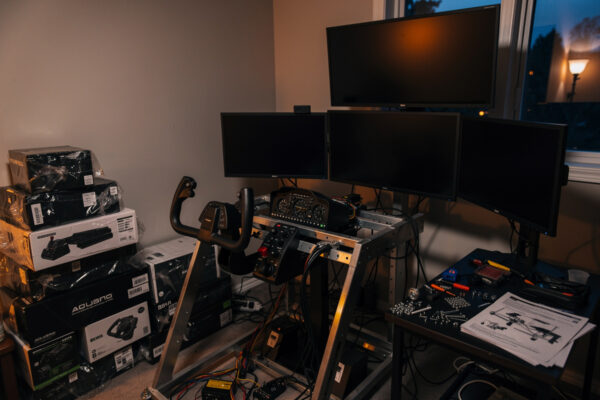
I came to the flight deck from a sim-racing rig, and the migration taught me one thing fast: the hardware is the easy part. You can bolt a yoke, pedals, and a throttle quadrant to an aluminum profile frame in a weekend. Learning to actually fly the thing — to hold a heading, trim off the control pressure, and put it back on the numbers in a crosswind — that takes the aircraft choice seriously. Pick the wrong first aircraft and you spend your early hours fighting systems instead of learning to fly. This guide is the ladder I wish someone had handed me when I first sat down at my desk-mounted yoke.
The one rule that beats every aircraft list
Start simple and stay there until it bores you. The single biggest mistake new simmers make is loading a study-level airliner on day one because it looks like the goal. It is the goal for some people — eventually — but a glass-cockpit jet hides the actual flying behind flight directors and managed modes, so you learn to operate a computer, not to fly an aircraft.
A basic piston single strips the job back to the four forces and three axes. You hold attitude with the yoke, manage energy with the throttle, keep the ball centered with the pedals, and trim away the pressure so the aircraft flies hands-off. Every aircraft you ever load after that — a turboprop, a bizjet, a 737 — is built on those same fundamentals. Master them in a forgiving airframe and everything else is just more buttons. Rush past them and you carry the gaps forward into machines that punish them harder. My procrastination-trap piece covers the gear-hoarding version of this same mistake; the aircraft version is sneakier because it feels like ambition.
What makes an aircraft a good first sim aircraft
A good trainer in the sim shares the same traits a good trainer has in the real world, and the list is short. Fixed landing gear means one fewer thing to forget on every approach. A single piston engine means one throttle, one prop control, one mixture — not four levers and a sync gauge. Analog steam gauges mean you read airspeed and altitude directly off a needle instead of decoding a flight-management computer. And docile handling means the aircraft recovers from your mistakes instead of departing controlled flight the moment you get sloppy.
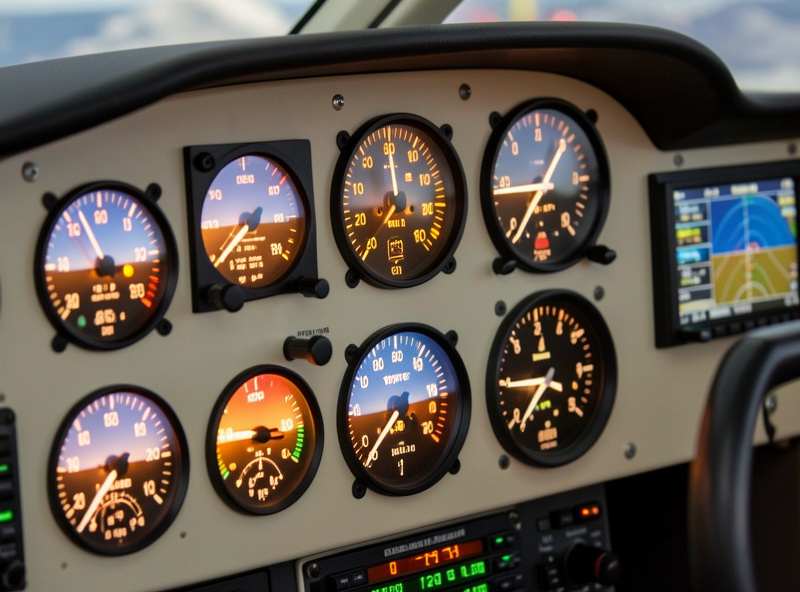
Speed matters too, more than beginners expect. A trainer that cruises around 110 to 120 knots gives you time to think. The aircraft arrives at the next decision slowly enough that you can read the gauge, make the input, and watch the result before the situation changes. Drop a beginner into something that approaches at 140 knots and the entire pattern happens before they have processed the last instruction. Slow is a feature when you are learning, not a limitation.
The Cessna 172 as the default first aircraft
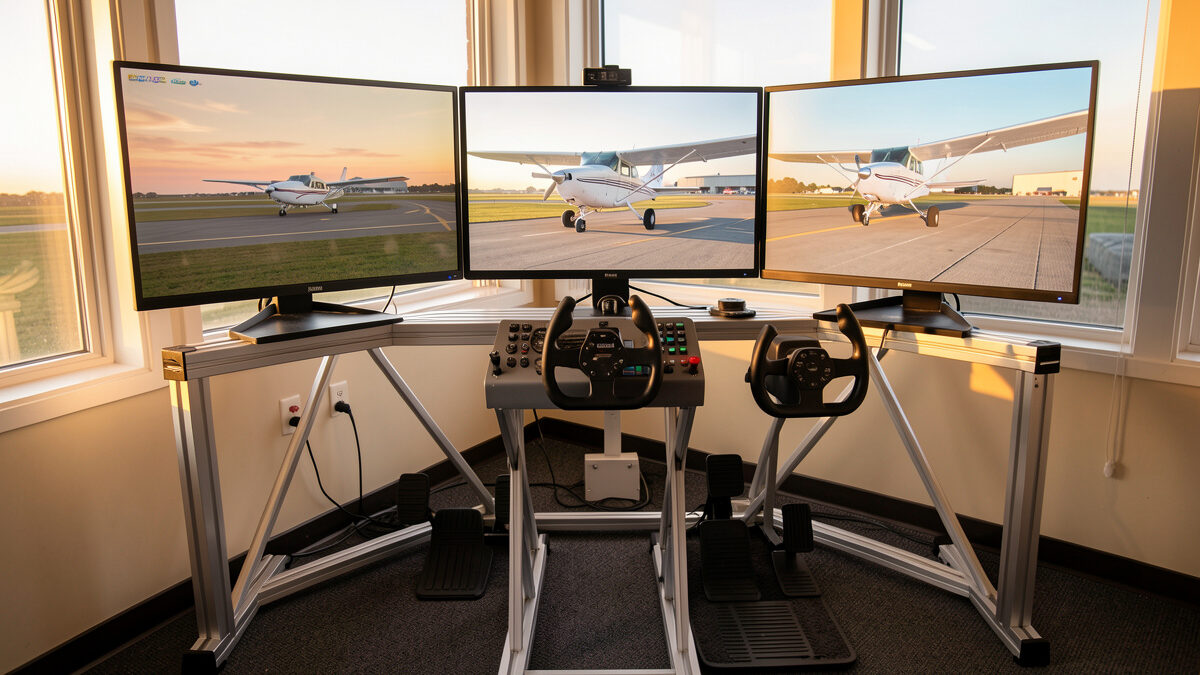
If you fly MSFS 2024 or X-Plane 12, the Cessna 172 ships in the box, and it is the aircraft I point every new simmer at. It checks every box above: high wing for visibility, fixed gear, one piston up front, a forgiving stall that mushes rather than breaks, and an approach speed slow enough to leave room for thought. You will spend your first dozen hours learning to taxi without overcontrolling the nosewheel, to climb at a fixed airspeed by trimming rather than muscling the yoke, and to fly a stable pattern at the same airport until it stops being a fight.
The 172 also rewards the hardware that actually helps a beginner. A yoke makes more sense than a stick for a control column aircraft — that is the whole GA-yoke argument — and rudder pedals turn coordinated flight from guesswork into a thing your feet do automatically. I have written a full breakdown of your first Cessna 172 sim hours as a spoke off this guide; it covers the exact sequence I run new simmers through, from first taxi to first solo pattern. Start there once you have the aircraft loaded.
Why beginners reach for study-level too early
Study-level aircraft are the high-fidelity payware add-ons that model the real systems down to individual circuit breakers and failure modes. They are extraordinary pieces of software and they are absolutely the wrong place to begin. The pull is understandable: a study-level 737 or A320 is what the hobby looks like in every YouTube thumbnail, and buying one feels like progress. It is the same impulse that makes people buy a study-level airframe before they can hold a heading.
The problem is that a study-level aircraft demands you already know how to fly, then layers an enormous systems workload on top. You are configuring a flight management computer, programming a route, setting up the autopilot modes, and managing fuel and pressurization — all of it before you have rotated. If you cannot yet trim a Cessna for level flight, none of that knowledge has anywhere to attach. I wrote a whole spoke on avoiding study-level aircraft too early because it is the most common way new simmers stall out, get frustrated, and quietly uninstall. The fix is patience: earn the complexity.
Free, default, and freeware: what to actually fly first
You do not need to spend a single krona on aircraft to learn to fly. The default fleet in MSFS 2024 and X-Plane 12 covers the entire beginner ladder, and the freeware scene fills every gap above it. The default Cessna 172, a default light twin, and a default turboprop will keep you busy for months before you ever open a wallet for an airframe.
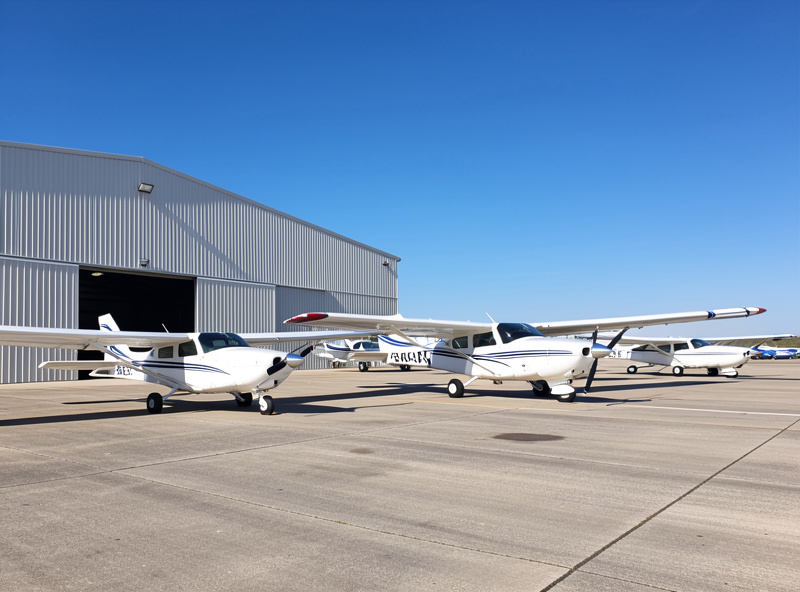
When you do want more variety, the freeware mods are where I send people before payware. A well-made freeware single or twin can rival paid add-ons for handling quality, and flying a few of them teaches you what you actually value before you spend money. I keep a running list of the best freeware aircraft for MSFS 2024 as a sibling to this guide. Pair it with free scenery — my notes on the best free airports in MSFS 2024 and freeware scenery beyond airports — and you have a complete, no-cost training environment.
A sensible learning ladder
Progression should follow capability, not boredom and not marketing. Here is the ladder I climbed on my own deck, and the one I hand to anyone migrating in from a racing rig or coming to sim flight cold. Each rung adds exactly one new layer of complexity, so nothing ever feels like a wall.
| Stage | Aircraft type | What you are learning | Roughly how long |
|---|---|---|---|
| 1. Foundation | Piston single (Cessna 172) | Attitude, trim, pattern work, coordinated turns, basic radio | 10–25 hours |
| 2. Complexity | Complex single or light twin | Retractable gear, constant-speed prop, second engine, fuel management | 10–20 hours |
| 3. Speed and altitude | Turboprop (e.g. a King Air-class) | Flight levels, pressurization, faster energy management, basic autopilot | 15–30 hours |
| 4. Automation | Entry airliner or bizjet | Flight director, managed modes, FMC basics, jet approaches | 20+ hours |
| 5. Study-level | High-fidelity payware airliner | Full systems depth, failures, realistic procedures | Open-ended |
The hours are deliberately loose — they are a sense of proportion, not a test. Some people sprint rungs one and two because the racing rig already taught them control discipline; others linger on the Cessna for a hundred hours because pattern work is genuinely satisfying. The only rule is that you do not skip a rung. Every skipped rung becomes a gap you discover later, usually during a botched approach you do not understand.
When you are ready for an airliner
The airliner question is the one I get asked most, and the honest answer is: later than you want. You are ready to move up to a jet when level flight, climbs, descents, and a stabilized approach in your trainer have all become automatic — when you are no longer thinking about flying the aircraft and have spare attention for the next layer of systems. If you are still fighting to hold altitude in the Cessna, an A320 will simply add a thousand new ways to get lost.
I broke the timing question out into its own spoke — when to jump to an airliner in sim — because the readiness signals are specific and worth getting right. The short version: airliners are not harder to fly than a Cessna; the autopilot does most of the stick-and-rudder work. They are harder to operate, and operating is a separate skill that only makes sense once flying is in muscle memory. The control philosophy shifts too — many airliners use a sidestick rather than a yoke, which is the whole point of my Airbus sidestick logic piece.
The hardware that actually helps a beginner fly
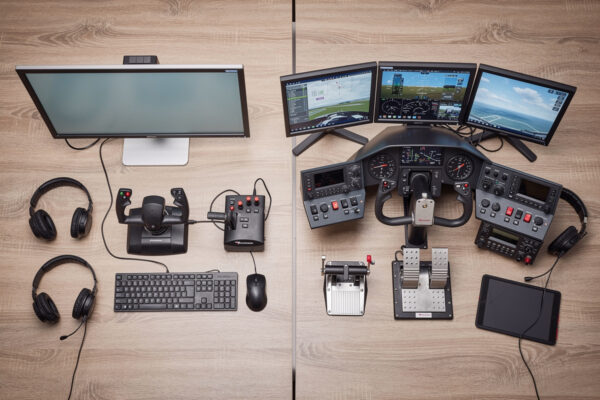
You can learn on a keyboard, but you will learn faster and enjoy it more with three things, roughly in this order. First, a yoke or stick to give your hand a real control input — for a Cessna trainer that means a yoke. The entry-tier Logitech flight yoke is the one I started on and still keep on the bench as a reference; it is more than enough to learn everything in this guide. As an Amazon Associate I earn from qualifying purchases.
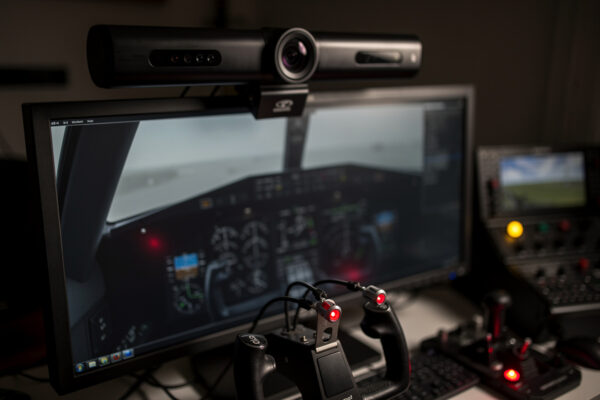
Second, rudder pedals. Nothing taught me coordinated flight faster than getting my feet on a set of pedals, and they are the upgrade that fixed my crosswind landings for good — I wrote about exactly that in the pedals that fixed my crosswind landings and laid out the full buying logic in the rudder pedal guide. Third, head tracking. It is the best money-per-immersion upgrade in the entire hobby and it makes pattern work dramatically easier because you can simply look at the runway through the turn — see why head tracking is the best-value upgrade and the full head tracking and VR guide.
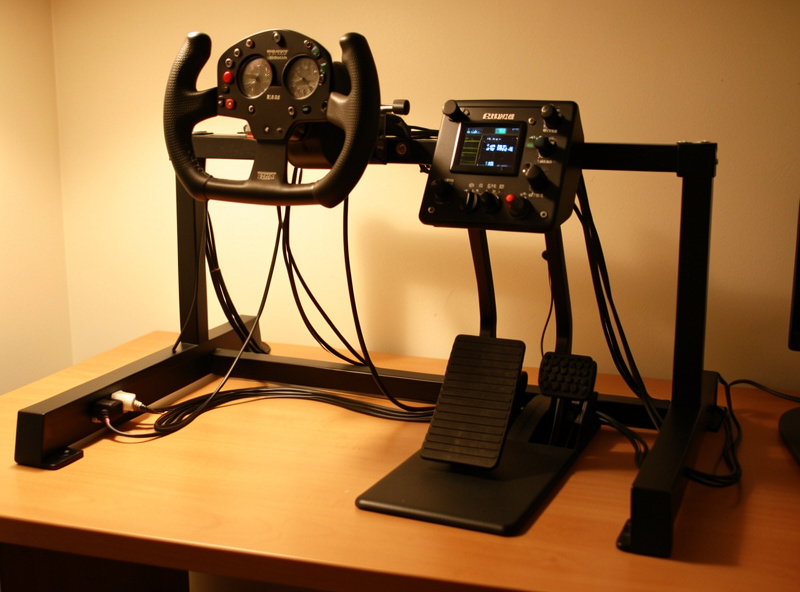
What you do not need yet is a throttle quadrant with six levers, a radio panel, or a study-level airframe. Those are real upgrades — I run a Bravo quadrant and have a full throttle quadrant guide — but they belong at stage three or four of the ladder, not stage one. If you are still deciding between a yoke and a stick before any of this, start with the yoke vs stick guide and the HOTAS vs yoke question. And before you blame the aircraft for twitchy handling, set up your control curves and deadzones — half of what new simmers call bad aircraft handling is an unconfigured controller.
Which sim, and does it matter for your first aircraft?
For learning to fly, either MSFS 2024 or X-Plane 12 works, and both ship a perfectly good default Cessna. MSFS 2024 has the broader scenery and add-on ecosystem and is where most beginners start; X-Plane 12 has a flight model some pilots prefer for its handling feel. The difference matters far less at the trainer stage than it will later, so do not agonize over it — fly what you own. If you want the full picture, my X-Plane vs MSFS comparison and the flight-model difference cover it, and running both is genuinely viable once you are set up. If you want to make sure your PC can run either smoothly, start with the flight sim PC guide and the real MSFS 2024 system requirements — in my frame-time logs the trainer aircraft are the lightest load you will ever put on the sim, so if a Cessna stutters, the PC is the problem, not the airframe.
The first-aircraft mistakes I watch people make
The same handful of mistakes show up over and over, and every one of them is a symptom of moving too fast for the airframe. The first is overcontrolling — gripping the yoke and chasing the attitude with big inputs instead of small pressures. A Cessna wants a light hand and a moment to respond; new simmers fly it like a video game and induce the very oscillations they are trying to stop. The fix is not more hardware, it is smaller inputs and a correctly set deadzone so the controller stops amplifying twitch.
The second is ignoring trim. Trim is the single most important skill a beginner can build, because a trimmed aircraft flies itself and frees your attention for everything else. I watch people white-knuckle the yoke to hold altitude for an entire flight when two seconds of trim would have done it. The third is treating the sim as a sightseeing tool too early — loading photogrammetry scenery and flying laps of a city before they can land. Scenery is a reward, and it is genuinely one of the joys of MSFS, but in your first hours it is a distraction from the boring repetition that actually builds skill. The fourth is the autopilot crutch: switching on the autopilot to escape a workload you have not yet learned to handle. On a trainer there is no autopilot to hide behind, which is exactly why a trainer teaches you to fly.
The last mistake is the most expensive: buying an aircraft to fix a skill problem. A twitchy approach is not solved by a better airframe, and a confusing cockpit is not solved by a more detailed one. Almost every “this aircraft is broken” complaint I read on the forums turns out to be a fundamentals gap wearing a hardware costume — the same pattern I described in the procrastination-trap guide. Fly the simple thing until the simple thing is easy.
Your first three sessions: a concrete plan
Loading a Cessna and not knowing what to do with it is its own kind of paralysis, so here is the exact plan I give people for their first three sessions on the deck. It is dull on purpose. Dull repetition is how flying gets into muscle memory, and it is the fastest route to the fun stuff.
Session one: stay on the ground and in the air over one airport. Taxi the length of the field and back without overcontrolling the nosewheel, then take off, climb straight ahead to a thousand feet, and practice nothing but holding a heading and altitude. Add trim the moment the climb levels off and feel the control pressure disappear. Session two: fly the traffic pattern at that same airport — upwind, crosswind, downwind, base, final — five or six times in a row. The pattern is the single richest training exercise in aviation because it packs climbs, turns, descents, configuration changes, and a landing into four minutes. You will be terrible at it and then suddenly less terrible, which is the whole point.
Session three: keep flying the pattern, but now start managing your airspeed deliberately on final and aim for a specific touchdown point instead of just surviving the landing. Once a stabilized approach to the numbers feels repeatable rather than lucky, you have earned the right to think about the next rung of the ladder. This is also the point where rudder pedals and head tracking start paying off the most — pedals to keep the approach coordinated, head tracking to keep the runway in sight through the turn to final. Everything else in this guide is built on the boring competence those three sessions create.
A sim-only honesty note
One thing I am careful about on this site: everything here is about the flight-sim hobby, full stop. Learning the Cessna 172 in MSFS makes you a better sim pilot — better at the game, more immersed, more capable of flying interesting missions and enjoying the hobby. It does not make you a pilot. Real flight training, certification, and the judgment that keeps real aircraft safe are an entirely different world, taught by certified instructors, and nothing you do on a desk yoke transfers to a real cockpit as competency. Real-world student pilots report that some procedural familiarity from the sim is pleasant, but that is their account, not a claim I make. Fly the sim for the joy of the sim. That is the whole reason the deck earns its keep on a grounded Swedish winter night.
Frequently Asked Questions
What is the best first aircraft to learn in flight sim?
A simple piston single such as the Cessna 172. It has fixed gear, one engine, analog gauges, and forgiving handling, so you learn the fundamentals of flying instead of fighting complex systems. It ships free in both MSFS 2024 and X-Plane 12.
Should I start with an airliner if airliners are my goal?
No. Airliners hide the actual flying behind autopilot and managed modes, so you learn to operate a computer rather than fly. Master attitude, trim, and pattern work in a piston single first, then climb to a jet once flying is automatic.
Do I need to buy aircraft to learn to fly in the sim?
No. The default fleet in MSFS 2024 and X-Plane 12 covers the entire beginner ladder for free, and quality freeware fills the gaps above it. You can train for months before spending anything on an airframe.
How many hours before I move up from the Cessna?
Roughly 10 to 25 hours, but it is about capability, not the clock. Move up when level flight, climbs, descents, and a stabilized pattern have become automatic and you have spare attention for new systems.
What hardware helps a beginner the most?
In order: a yoke for a control-column trainer, rudder pedals for coordinated flight, and head tracking for visibility through turns. You do not need a full throttle quadrant, radio panels, or study-level aircraft to learn the fundamentals.
Does learning in the sim transfer to real flying?
No. Flight sim is a hobby. It can build procedural familiarity that some student pilots find pleasant, but it does not make you a pilot and confers no real-world competency. Real flight training is taught by certified instructors in real aircraft.